Activate prompts (via scenarios)
Written By Rankshift
After creating new prompts, activate them through your scenarios.
Scenarios let you manage credit usage. Prompts won’t run unless they’re part of a scenario.
You can add prompts to a scenario in just a few steps. In this example, we have 4 inactive prompts we want to activate. Here’s how:
Go to Scenarios
Edit an existing scenario (or create a new one)
Select the prompts you want to activate
Save the scenario
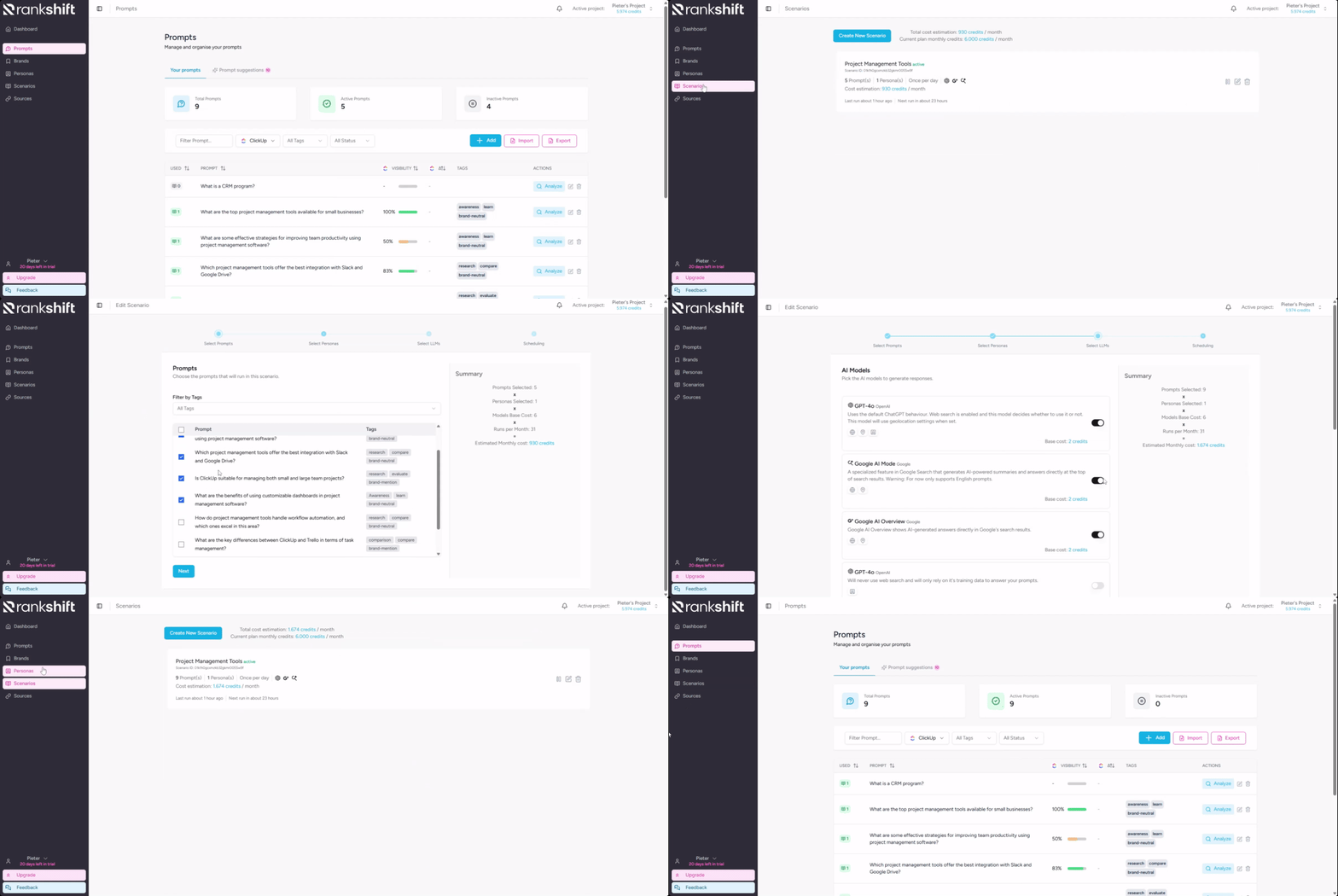
All set. Your prompts are live and will start producing results shortly.
Was this helpful?
Still need help? Ask the team