Manage your credits
Written By Rankshift
We’ve chosen a flexible credit-based system to keep Rankshift affordable for every business.
Take control of your credits
Each subscription — whether fixed or custom — comes with a number of credits. You decide how to spend them.
You can mix and match your credits on:
Number of prompts
Number of AI models
Run frequency
Let’s look at some scenarios.
For example, say you signed up for the Starter plan at €69/month with 9,500 credits.
Scenario 1: 100 prompts | 1 LLM
100 prompts × 1 LLM × 31 days (daily tracking) × 2 credits* = 6,200 credits
✔ Within your 9,500 credit limit
Scenario 2: 50 prompts | 2 LLMs
50 prompts × 2 LLMs × 31 days (daily tracking) × 2 credits* = 6,200 credits
✔ Within your 9,500 credit limit
Scenario 3: 115 prompts | 2 LLMs
115 prompts × 2 LLMs × 13.5 (tracking 3× per week) × 2 credits* = 6,210 credits
✔ Within your 9,500 credit limit
Manage your own credits:
Want to know how many credits you need? Use our Credit Calculator to calculate your estimated credit usage based on your number of prompts, LLMs and tracking frequency.
Each prompt run is multiplied by 2 — this accounts for both the prompt execution and the analysis of the response.
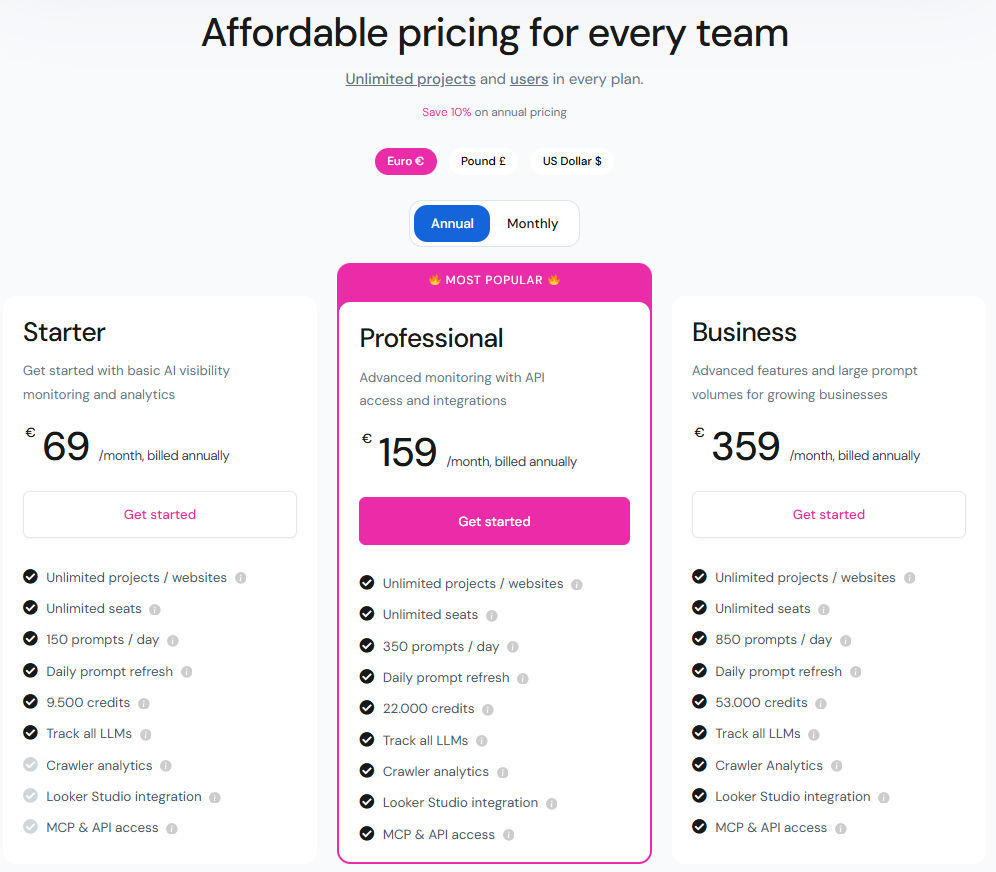
And here’s an extra bonus:
Create unlimited projects
Add unlimited users
AI Models
Pick the AI models to generate responses. Different models have different credit costs depending on their complexity and capabilities.
2 credits per run |
ChatGPT (OpenAI)
Google AI Mode (Google)
Google AI Overview (Google)
GPT-4o (OpenAI)
Gemini (Google)
Mistral Small (Mistral)
Claude standard (Anthropic)
Perplexity Sonar (Perplexity)
LLaMA 3.3 (Meta)
5 credits per run |
Copilot (Microsoft)
Claude with search (Anthropic)
Models marked at 5 credits are more complex or harder to gather responses from they require additional processing or use advanced reasoning.
Buy more credits
In Rankshift, there are two ways to get extra credits.
You can upgrade your monthly subscription to a higher plan by going to the subscription page, choosing the amount of credits you want per month, and upgrading your account.
If you only need a one-time boost, you can buy a top-up instead.
When do credits refresh?
Your credits refresh automatically at the beginning of each month.
What happens with unused credits?
The credits from your monthly plan expire at the end of the month, so they won’t roll over to the next one.
Top-up credits don’t expire and automatically roll over to the next month.
Was this helpful?
Still need help? Ask the team